
The WCU Green Office Program
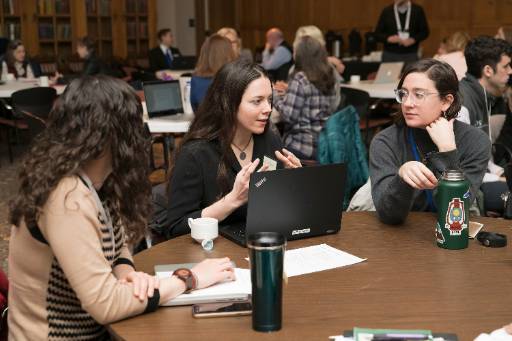
The WCU Green Office Program was developed by a small team of WCU staff members inspired by conversations during breakout sessions of the Brandywine Project Staff Sustainability Workshop. The program offers WCU employees helpful guides to aide their efforts in making their own office operations more "green." These guides are broken up into separate topics, tackling issues involving transportation, energy use, dining and catering, waste and recycling, purchasing, working digitally, and campus printing; and include helpful checklists to track your progress, as well as links, contact information, and more useful facts.
Reach out to the Office of Sustainability for more information about the Green Office Program.
Explore the topics below!
Waste and Recycling
Helpful Background Info
- WCU contracts with J.P. Mascaro & Sons for waste and recyclables pickup
- Waste is disposed at the Pioneer Crossing Landfill in Birdsboro, PA, which captures, compresses, filters and dries methane gas to generate electricity
- Recyclables are taken to the TotalRecycle Materials Recovery Facility in Berks County
- We have a single stream recycling system: paper, glass, flexible plastic packaging, cardboard, plastic, and metal containers all go in 1 bin
- Flexible plastic packaging – pouches, wraps and bags – can really be recycled at WCU!
- Contamination of recycling bins with non-recyclables such as food or liquids makes recycling more expensive and difficult
- The Sustainability Council's Zero Waste Committee works on Zero Waste guidelines and programs, such as electronics recycling and move out donation programs
- IS&T coordinates recycling of retired university electronic devices
- Sykes Student Union and WCU University Libraries partner with Sycamore International to provide drop off locations for personal electronics recycling
Checklist of To Dos
- Share with staff, faculty and students information about good recycling practices
- Post excess office equipment and supplies on Ram Swap instead of trashing them
- Encourage employees to
- Minimize paper use by distributing documents digitally and, when hard copies are needed, specify double-sided printing
- Use centralized Multi-Function Printers
- Select swag for events after considering the environmental and social impacts of products
- Use rechargeable batteries in office devices to reduce the need for one-time use batteries
- Recycle toner cartridges and obsolete electronics (monitors, printers, keyboards, computer mice, cables, etc.)
- Discourage:
- Vendors from sending printed or physical promotional materials
- Use of single serving coffee brewers, or have reusable filters to avoid single-use plastics
- Use of individual desktop printers
For More Information
- Facilities recycling information
- WCU-Owned equipment recycling in IS&T's Service Now
Dining and Catering
Helpful Background Info
- Aramark is West Chester University’s dining services contractor, managing the Commons Dining Hall, the Sykes Food Court, and other retail locations on campus
- Catering on campus over $250 goes through Aramark’s New Street Catering, who can work with offices to create plant-based menus
- Some food trucks on Church Street allow customers to use personal reusable containers in lieu of plastic disposables—just ask!
- The Sustainability Council’s Sustainable Food Systems Committee works with campus partners to make campus dining options more sustainable
- Composting bins and tumblers are located at the North and South Campus gardens and outside the Business and Public Management Center
- Leftovers from catered events can be taken home in reusable containers or shared with the campus community via the Free Food at WCU GroupMe
Checklist of To Dos
- For offices with kitchens, provide:
- Durable/reusable dishes and utensils
- Condiments in bulk containers, not single serve packets
- Environmentally friendly dishwashing soap
- Encourage employees to:
- Use cloth towels and napkins instead of paper
- Drink filtered or tap water from reusable vessels instead of bottled water
- Bring meals from home in reusable containers with reusable utensils
- Find and share solutions to reduce and compost our food waste
- Ask coffee shop staff to serve drinks in ceramic, washable mugs or in your own reusable mug
- When coordinating with caterers, including Aramark’s New Street Catering:
-
- Order fully or primarily plant-based menus (beef, pork, fish and fowl have higher carbon footprints than vegetables, fruits, grains, and legumes)
- Ask for reusable dishware, utensils, and napkins; avoid single-use plastics and polystyrene (aka “Styrofoam”)
- Request organic, locally sourced foods, when available
-
For More Information
Energy
Helpful Background Info
- WCU works with PASSHE and the Penn State Facilities Engineering Institute (PSFEI) to negotiate contracts for electricity supply on North and South campus
- WCU has one of the largest university geo-exchange heating and cooling systems (a highly energy efficient system for HVAC) in the United States, reducing our energy use and carbon footprint
- WCU has four LEED-certified (Leadership for Energy and Environmental Design) buildings on campus and more that are designed to LEED standards
- WCU’s Building Energy Dashboard provides info on building level energy use
- WCU’s Sustainability Council has a Buildings and Energy Committee that promotes and advances renewable energy and efficiency upgrades
Checklist of To Dos
- Use daylight instead of artificial lighting, when possible
- Consider the energy costs associated with maintaining comfortable temperatures
- Encourage dressing in layers for personal comfort instead of changing the office temperature or using space heaters
- Remind employees and students to switch off/unplug electronics or use computer sleep modes when we leave for the day and for long breaks
- Take the stairs rather than elevators in multi-story buildings, when feasible
- Use energy efficient lightbulbs (LED or compact fluorescent)
For More Information
- John Lattanze, WCU Energy Project Manager: jlattanze@wcupa.edu, x2713
- More about WCU Energy and Sustainability initiatives
Working Digitally
Helpful Background Info
- Help from Information Services and Technology (IS&T) is accessible by telephone or online via “Service Now” where students and employees can request help, order technology, and check the status of their inquiries
- Digital work files can be stored on OneDrive, SharePoint, or in Microsoft Teams and are secure and accessible from anywhere on or off campus, using any device
- Shared documents prevent the need to email files back and forth and provide the most current versions. They also save versions of documents, allowing users to view/restore earlier edits if necessary
- Our Faculty and Student Training (FAST) Team offers customizable software training for the WCU community
- Cisco Jabber enables employees to make and receive calls to their work extension anywhere they have Wi-Fi access
- Laptop lending programs are available for both students and adjunct faculty
Checklist of To Dos
- Use SharePoint, OneDrive, Microsoft Teams, D2L, or other software to store, share, and collaborate on electronic files
- Accept digitally signed forms, utilizing tools such as Adobe Acrobat DC
- Audit the paper forms that your office processes, and when possible, create electronic versions
- Collaborate with other offices to utilize electronic versions of inter-office forms
- Print double sided when hardcopies are necessary
Provide staff with the software and equipment needed to work digitally
For More Information
- Questions / requests for training from the FAST team: FAST@wcupa.edu
Transportation
Helpful Background Info
- 1/3 of WCU carbon emissions are related to commuting, conference, and business travel. WCU’s carbon neutrality goal commits us to reducing these as best we can
- There are 12 EV charging stations on campus: 2 in Sharpless Garage, 6 in the SECC Garage, and 4 reserved for the university’s motor pool on East Campus
- Bicycle racks are located throughout campus, and some are protected from the elements
- There are over 5,000 parking spaces on North and South campuses with varying prices for surface and garage parking access
- A Bicycle Lending Library is available to students and employees through the FHG Library
- Access to campus is possible by
Checklist of To Dos
- Provide information about:
- Share-A-Ride, an app that matches commuters for carpooling, transit, and bicycling
- Transportation options for guests and campus visitors
- Commuting options for new hires and students
- SEPTA Discounted Pass Sales
- WCU shuttle buses
- Safe cycling routes
- Public transit schedules
- Support:
- Faculty/staff working remotely when possible
- Use of Zoom to allow off-campus participation in meetings
- Employees and students commuting via all modes of transportation
- Employees walking, bicycling, and using shuttle buses to get to on-campus meetings
For More Information
Purchasing
Created by the Green Office Program to provide guidance for making sustainable choices
Helpful Background Info
- West Chester University spends over $500,000 on office supplies each fiscal year. The businesses we support both reflect and shape our values, so our purchasing as university employees should align with the university’s values
- The Pennsylvania Department of General Services hosts a database where buyers can find Small Businesses, Diverse Businesses, and Veteran Business Enterprises. This is a helpful guide to shop from diverse suppliers
- Office suppliers available through SourcePoint offer items with recycled content, and buyers can use search filters for product material and percent recycled content to search for them
- Through Facilities’ Ram Swap program, employees can share surplus office furniture and supplies
Checklist of To Dos
- Repair broken equipment before buying new
- Choose supplies with recycled content and paper certified by the Forest Stewardship Council
- Choose refillable, reusable, and rechargeable items whenever possible (e.g. pens, batteries)
- Avoid single use items, and if they must be purchased, choose items that can be recycled on campus
- Order from local, diverse small businesses, when possible
- Consider the human and environmental impacts of purchases in addition to financial costs
- Place fewer larger orders, rather than frequent small orders; this reduces packaging and transportation costs
- Check Ram Swap before purchasing new furniture or supplies
Campus Printing
Helpful Background Info
- West Chester University’s Information Systems and Technology (IS&T) office encourages employees to use WCU Multi-Function Printers (MFPs) that print, copy, scan, fax, email, and archive documents
- Faculty & Staff MFPs:
- Are cheaper and more efficient than desktop printers
- Save money with inexpensive black-and-white and color printing in multiple paper sizes and formats
- Ensure protected document reproduction using secure PINs for document release
- Scan directly to any campus user’s OneDrive or email account
- Have an ID# and support phone # tag on the front to request repairs and assistance
- Student MFPs are:
- Supported through the RamPrint program that enables swipe-to-print access
- Automatically configured to print double-sided, with single-side printing available if necessary
- Able to print from students’ personal devices
- Available for color copying
- Large-format copies are available for a small fee in the Francis Harvey Green Library’s Innovations Media Center
Checklist of To Dos
- For offices without direct access to an MFP:
- Set desktop printers to double-sided and draft printing modes to save energy, paper, and toner
- Share information about MFPs with all office employees
- Set goals to retire some or all desktop printers in the office and obtain access to an MFP
- For offices with access to an MFP:
- Use MFPs for all printing, copying, scanning, and faxing
- Stop buying ink/toner for remaining desktop printers with goal of retiring the equipment when we run out
- Set MFP to double-sided and draft printing modes to save energy, paper, and toner
- For all offices:
- Distribute documents digitally to minimize paper use
- Learn about the Ramprint program on campus to assist students
- Recycle toner cartridges and retired electronics (including monitors, printers, keyboards, computer mice, cables, etc.)
Sustainable Event Planning
Helpful Background Info
- Events on campus build community for students and employees and are a welcome part of life at WCU.
- West Chester University has event planning guidelines geared for students and the university community as a whole.
- This info sheet covers ways to plan and hold events that reflect WCU’s commitments to environmental, social, and economic sustainability.
- Any catering on campus (contracts for over $250) goes through Aramark’s New Street Catering.
- According to the USDA, 30-40% of our food supply is wasted. When selecting food, don’t overorder, and plan ways attendees can take home leftovers.
- WCU has 30+ flat screen televisions located in buildings across campus where you can submit a slide to promote your event.
Checklist of To Dos
- Food: Choose plant-based options for your main menu and have a plan for leftover food.
- Waste / Recycling / Composting: If possible, request china service from New Street
Catering at a per person fee instead of single-use disposables or avoid ordering foods
that need plates and cutlery.
- Use digital documents to share info in place of hard-copy handouts.
- Provide compostable to go containers and post about leftover food on the Free Food GroupMe.
- Swag: Consider if giveaways are necessary. If swag is a priority, make it sustainable and useful. Avoid plastic items whenever possible, opt for natural fiber t-shirts and use digital gift cards.
- Decorations: Invest in decorations that can be reused and avoid anything that creates too much waste, like plastic confetti or helium balloons (helium is a nonrenewable and scarce element).
- Promotion: Use electronic forms of communication, like digital signs or newsletters, and design yard signs that can be reused for recurring events.
- Accessibility: Consider the accessibility needs of your audience when choosing a location. Is it easily wheelchair accessible? Is video conferencing available?